

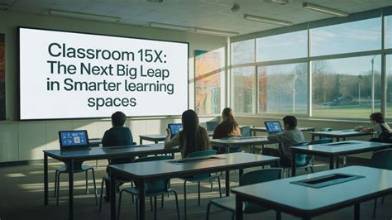
Classroom 15x is a free Google Sites page that collects browser-based games students can play during school breaks. It is not a learning platform or a classroom management tool. Searches for the term also return articles about a futuristic “15x” teaching model. As explained below, those articles are not backed by any official source I could find.
At a Glance
| Detail | What the site says or shows |
|---|---|
| Type | Browser-game directory built on Google Sites |
| Address | sites.google.com/view/classroomm15x (note the double “m”) |
| Cost | Presented as free |
| Accounts and downloads | States that no downloads, logins or VPNs are needed |
| Devices | Says it works on Chromebooks and school-issued devices |
| Game categories | 12 |
| Technology | Says games use HTML5/WebGL and no Flash |
| Affiliation | States it is not affiliated with any official school system |
| Owner | Not named on the pages reviewed |
| Last updated | No date shown |
What Classroom 15x Actually Is
The site describes itself as a platform for free, school-friendly games that run in a browser. Its home page lists a Game Directory, a Contact Us link and a long alphabetical catalog that runs from 2048 to Zuma Classic. A “Featured” list names roughly 80 titles. It also includes short explanatory sections: “Why Use This Gaming Site?”, an FAQ and student tips.
Because it runs on Google Sites, it is a collection of pages that link to or embed games, not a standalone app. That explains why it needs no installation. It also means the site’s reliability depends on whoever maintains the page, and no maintainer is identified.
How the Game Directory Is Organized
The directory is split into 12 categories: Shooter, Puzzle, Arcade, Action, Racing, Sports, Board, Horror, Simulation & Strategy, Casual & Clicker, Music & Rhythm, and Kids & Educational. Each has its own page. Example titles on the home page include Run 3, Slope, Cookie Clicker, Flappy Bird, Subway Surfers, Chess, Wordle and Friday Night Funkin’.
The Kids & Educational section
This is the closest the site comes to classroom use. It lists 14 titles: Kindergarten, Reversi, Hangman, Toca Boca, Tic Tac Toe, 2048, Easy Chess, Checkers, Flash Chess, Wordle, Google Snake, Bookworm, Block Blast and Mancala Classic. The page says these games support math, reading, memory and logic. Most are classic puzzle and board games, so the educational value is real but general. The site does not tie them to any curriculum.
The rest of the catalog
Most of the library is casual entertainment. The category pages say the arcade games are meant to be firewall-friendly and need no installation, and they add that access varies with each school’s configuration.
Claims the Site Makes About Itself
The site’s pages say the games are tested for school networks, load quickly, and come with few ads and no pop-ups or redirects. They also say the games suit short sessions.
These are the site’s own statements. I found no independent review or testing of them. The pages also show no About section or privacy policy, and the Contact Us link gives no visible contact details. A page that serves young users and offers no such information deserves some caution.
Using Classroom 15x at School
The site is open about the main limitation. Its own pages tell students to follow their school’s internet-use policy and to check with a teacher or IT administrator before playing during class hours. Whether a school allows access is the school’s decision. Where a filter blocks the site, workarounds such as proxies or VPNs are a policy problem, not a technical one.
For teachers and parents, a few practical points apply:
- Treat it as break-time entertainment. Unless a teacher assigns a specific game, the catalog is not designed for lessons.
- Preview before recommending. The Kids & Educational pages suit younger students, but the full directory includes shooter and horror categories.
- Keep personal information out. The games do not need accounts, so there is no reason for a student to enter a name, email address or school details anywhere.
- Expect change. An unofficial page with no named owner can add, remove or break games without notice.
The Other “Classroom 15x”: An Undocumented Teaching Model
Many websites describe Classroom 15x as a futuristic learning environment. Their definitions do not agree. One describes a space 15 times larger than a normal room, another a small-group room for about 15 students, and another a hybrid setup where students attend in person or online. Others add AI dashboards, virtual reality and per-classroom costs in the tens of thousands of dollars.
These pages come mostly from unrelated sites that publish near-identical text. I could not trace their engagement and performance figures to any study, school district or vendor. I found no official source for a “Classroom 15x” teaching standard or product. Readers should treat these claims as unverified and should not cite them in school proposals or budgets.
Common Misunderstandings
- It is not a Google product. It is hosted on Google Sites, but Google did not create it. It is also unrelated to Google Classroom, the school assignment tool.
- The name does not signal a measurable benefit. “15x” does not refer to a documented multiplier of learning, speed or engagement.
- “Educational” is not the same as school-approved. A school’s IT team decides what is acceptable on its devices and network.
Frequently Asked Questions
Is Classroom 15x a learning platform or a games website?
The version with verifiable pages is a games website hosted on Google Sites. Articles describing a high-tech teaching model exist, but they cite no official source, so their descriptions cannot be confirmed.
Do I need to download anything or sign in?
The site states that games run in the browser and need no downloads, logins or VPNs. Individual games may still behave differently, and the site’s note that a game may need a moment to load suggests that some do.
Is Classroom 15x safe for students?
I cannot confirm that. The site says its games are reviewed and chosen for school-friendly environments, but it names no owner and shows no privacy policy in the page text. Parents and teachers should check with their school’s IT staff and supervise younger children.
Who runs Classroom 15x?
The pages reviewed name no owner or organization, and they state that the site is not affiliated with any official school system. The Contact Us link is the only route to the operators.
Conclusion
Classroom 15x is best understood as a browser-games directory for school breaks, with a 14-title educational section and 12 categories overall. Its claims of speed, safety and school compatibility come from the site itself and are unverified. The “future classroom” meaning is not backed by any reliable source I found. Anyone considering the site should first confirm that their school allows it.